No. 4 · Concertina
Putting the Bellows Back into the Concertina
Adding pressure sensing, expression and a little bit of pipe organ to my homemade MIDI concertina.
In the previous part, I replaced the concertina’s keys with microswitches and used a Raspberry Pi Pico 2 to send MIDI notes to my laptop. It played melodies and chords, but something important was missing: the bellows. Without them, there was no pushing or pulling to change the notes, and no way to control how hard the instrument was being played.
After a bit of research I found an MPXV7002DP piezoresistive differential pressure sensor: the perfect candidate. It measures the pressure difference between its two input tubes, over a range of about -2 to +2 kPa. I could have one tube open to the air outside the concertina and one connected to the inside of the bellows. The direction of that pressure difference tells me whether I’m pushing or pulling, while its size lets me change the expression or volume.
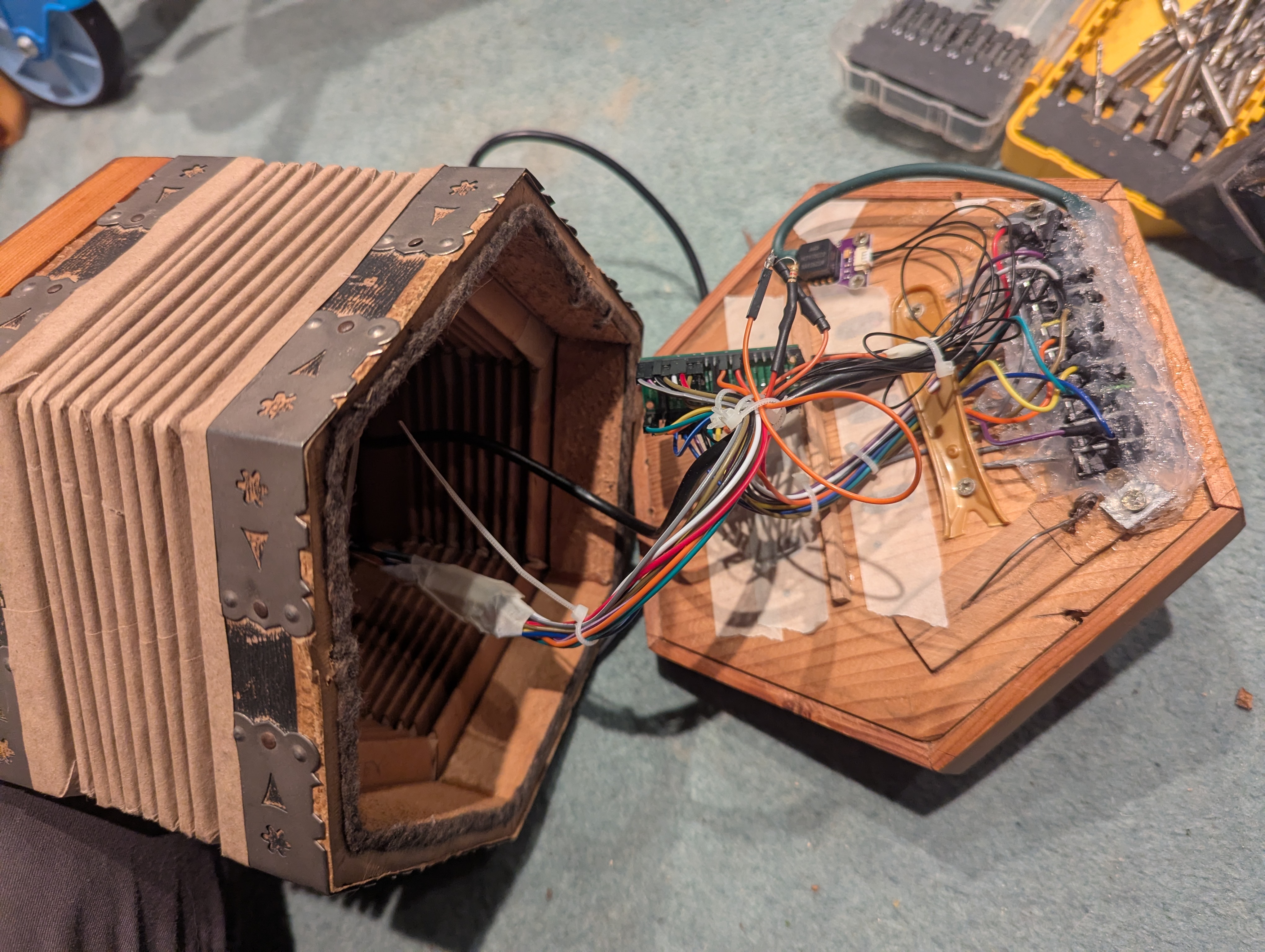
This took quite a bit of trial and error. The first few attempts were wildly out and needed some tuning to get it to do what I wanted, but in the end I got there.
I also found that the holes I’d cut for the switches were now severely leaking air from the bellows. I needed something to plug the gap, and settled on using some silicone. This wasn’t enough, so I applied a hefty layer of cling film and tape around the buttons. Finally, it was airtight enough to use.
Despite getting the Anglo’s push-pull note switching working, I found I preferred playing with my unisonoric setup and full chords in the left hand.
A final addition I made was to have it sound like it was straining when the pressure reading entered the top 10% of the range I was using. At that point, it would open some new MIDI channels with a new soundfont for the strained version, with the volume and expression increasing as the pressure rose, as with the first channels.
I could also use this to play other soundfonts just for fun. For example, I played quietly and calmly with a concertina soundfont, but if I really go for it with the higher-pressure bellows, we merge in some pipe organ. Or I can have a guitar soundfont and turn on overdrive for the higher pressure.
So it was done. At least for now.
I could play any song I wanted, in any key, with any soundfont, and it sounded close enough to a real concertina for use as a fun practice instrument. I have plans to integrate the actual synthesiser into the body of the concertina, with a little speaker and an integrated battery, maybe using a Raspberry Pi for the synth. But that’s a project for another time. I’ve bodged this concertina enough, and I’ve had enough fun with this project to call it a day and commit it to my blog.
The main lesson is that I didn’t need to restore the instrument into something it used to be. Making the bellows and buttons talk to a computer let me turn it into something else entirely, and the software meant I could change my mind about how it should work along the way. The first part is where the whole thing started; the middle part covers the electronics and MIDI setup.